 SpoolroomSign in
Filament inventory and print tracking
Have enough filament for your next print?
Spoolroom is a filament tracker for 3D printing. Weigh your spools, check a sliced file against what's on your shelf, and keep a record of each print's estimated use and cost. Reweigh to bring the balance back to your scale reading.
50 active spools · 1 printer · No card required
Runs in your browser, with any printer. No app to download and no watcher to install to get started.
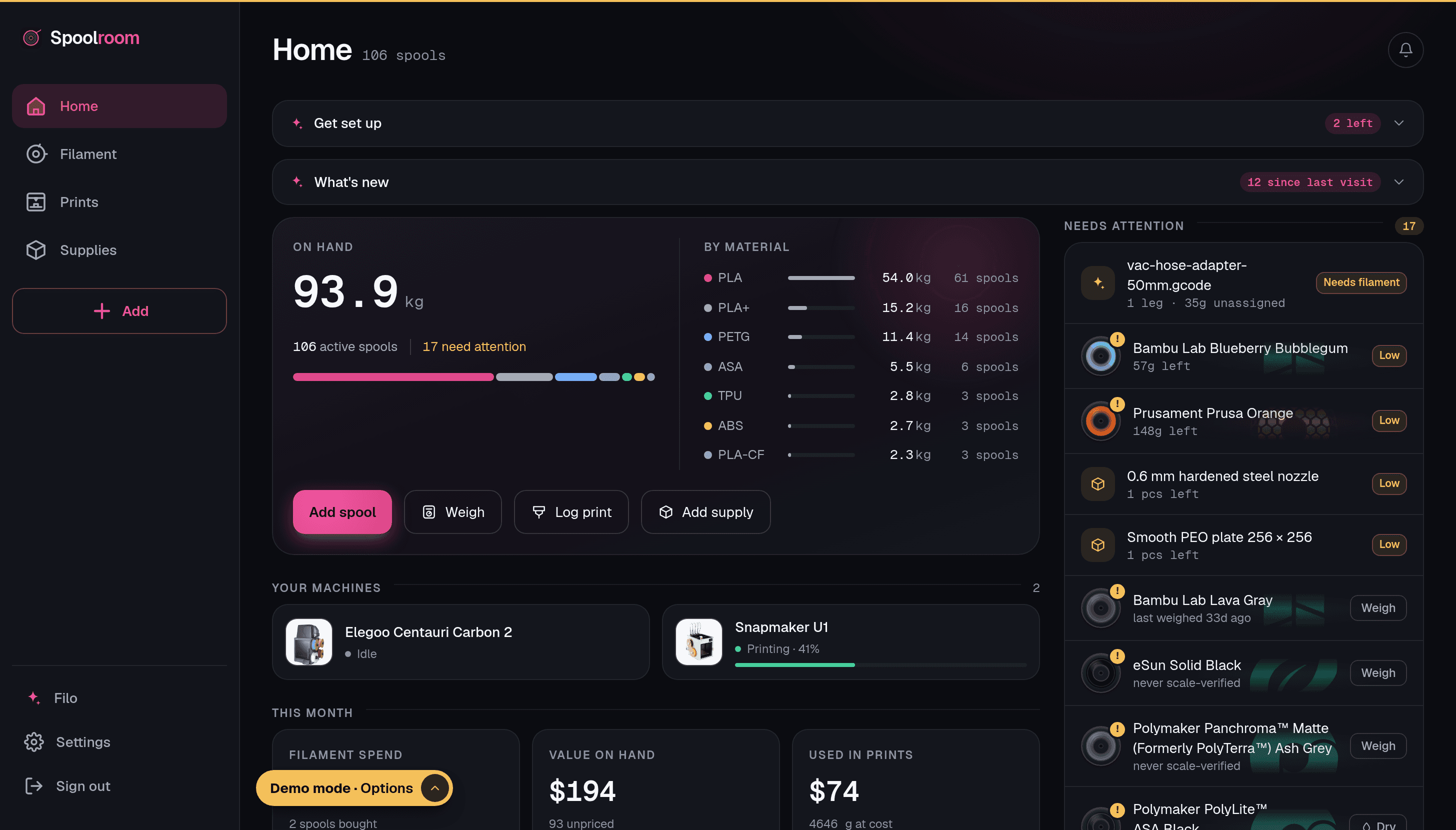
How it works
From the shelf to the next print.
Screens from the Spoolroom app, filled with example inventory.
01 · Add a spool
Add what is on your shelf
Pick the filament from the catalog and its net weight, empty-spool weight (tare) and density fill in. Change anything before you save.
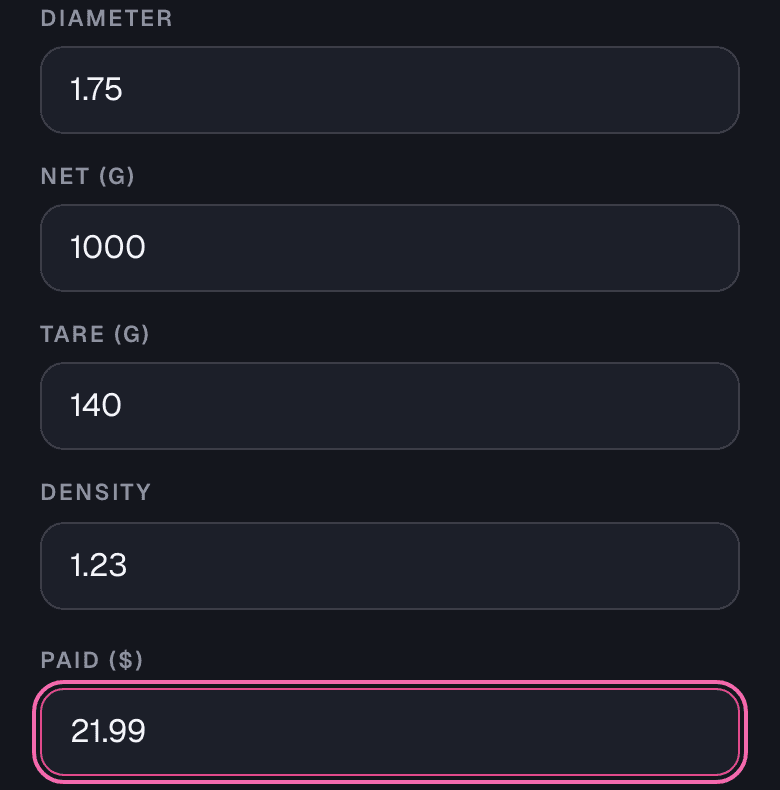
The 140 g tare here is the catalog's figure for this spool, an estimate until you weigh an empty one. 02 · Weigh
Weigh the whole spool
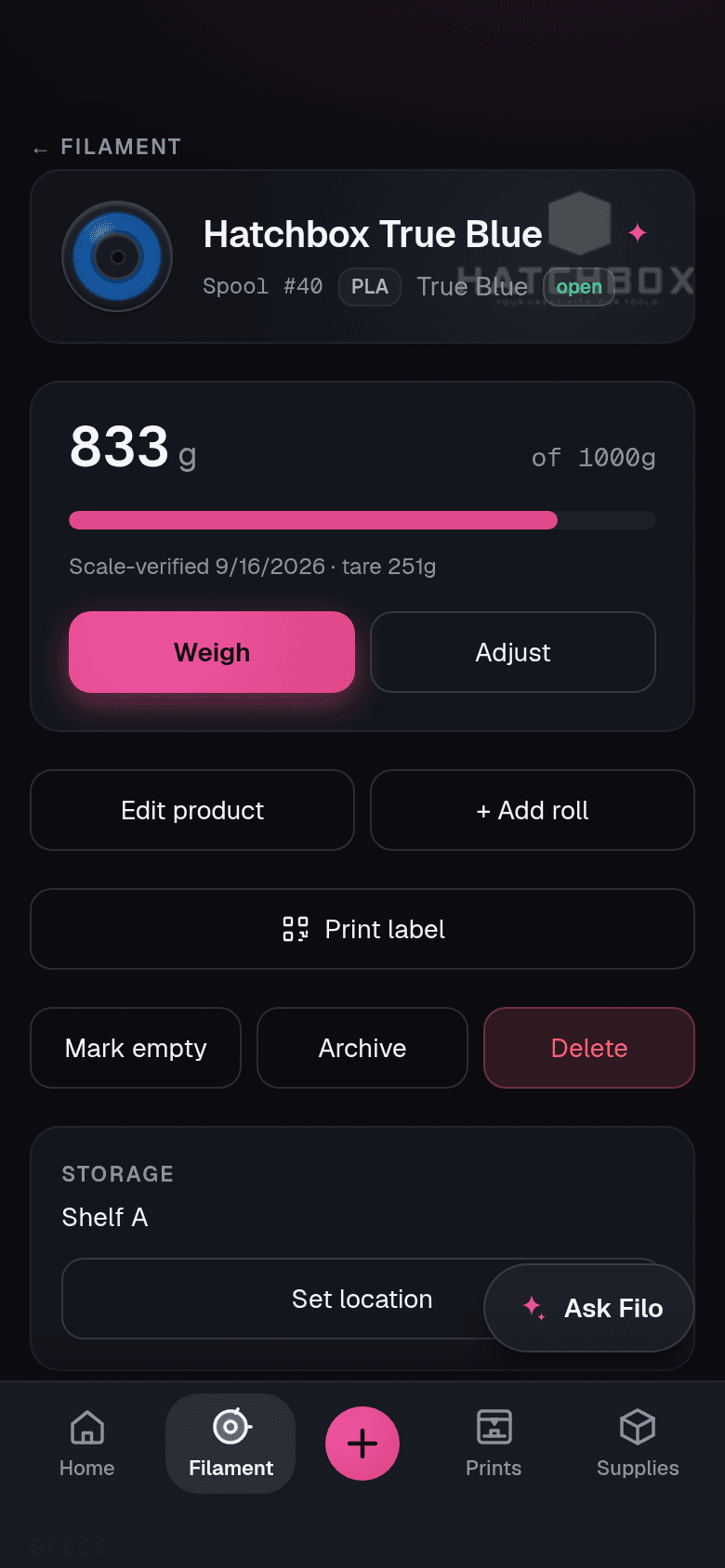
Put the spool on your own kitchen or shop scale and type in what it shows. Spoolroom subtracts the tare to work out the filament left.
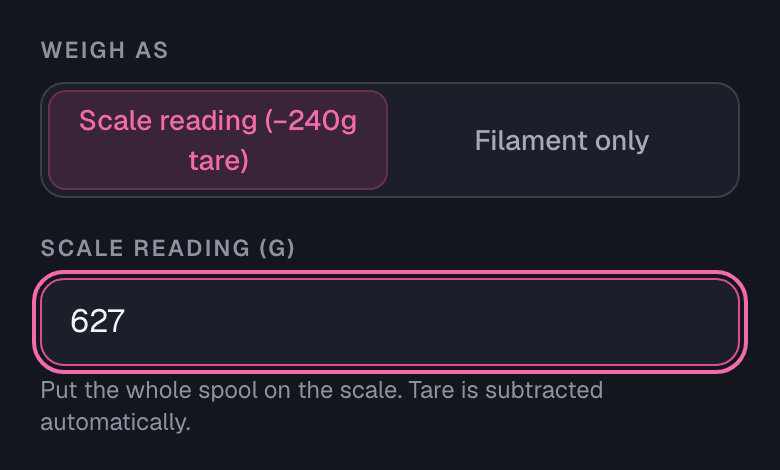
627 g on the scale minus this spool's 240 g tare: 387 g of filament left. 03 · Check the next print
See if your shelf covers it
Drop in the sliced .gcode or .3mf. Spoolroom reads the grams for each color, adds your safety margin and says whether the spools you picked have enough.
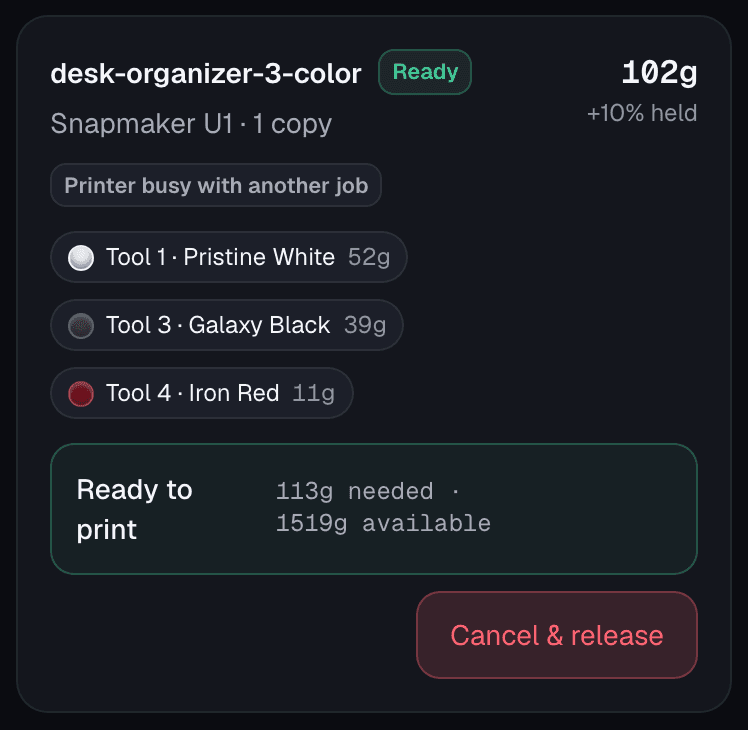
The file asks for 102 g. With a 10% safety margin, 113 g is held against 1519 g available. 04 · Record and reweigh
Keep a record of each print
Log the print from the sliced file or by hand, and its estimated use comes off the spool. Weigh again any time to bring the balance back to your scale reading.
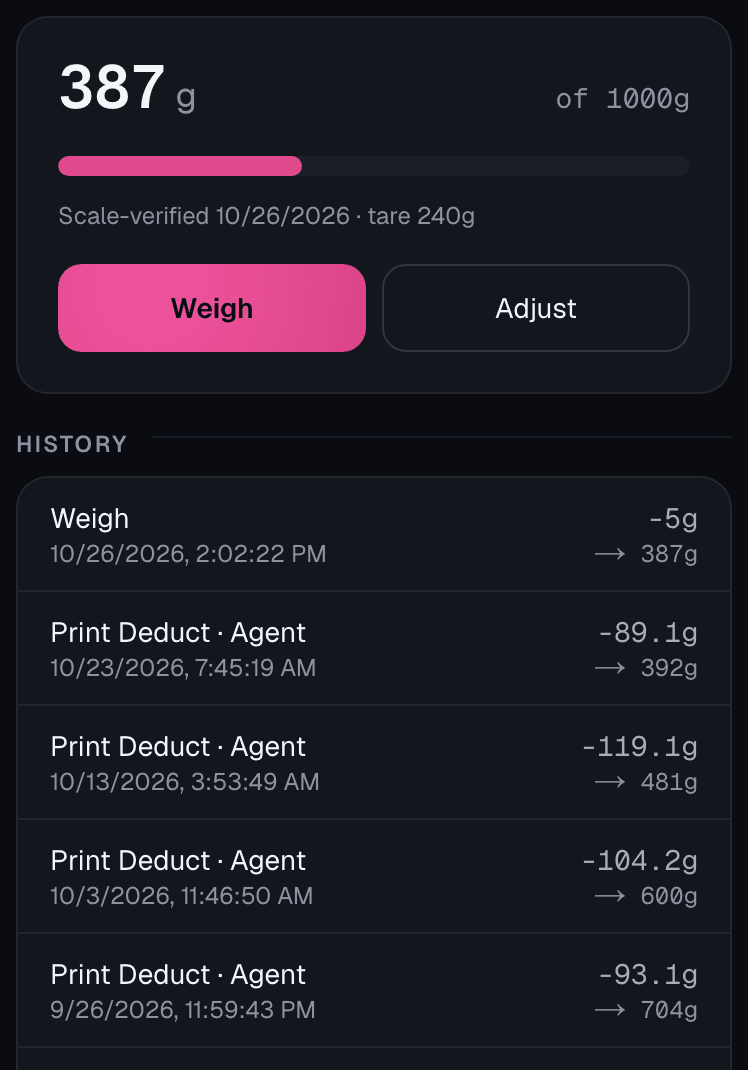
Print deductions are estimates. This weigh-in moved the balance from 392 g to 387 g.
What is measured, and what is estimated
- Scale reading · Measured
- The whole spool on your scale. Spoolroom does not connect to a scale: you type in the number it shows.
- Empty-spool weight (tare) · Measured or estimated
- Measured if you weighed an empty spool, estimated if it came from the catalog.
- Filament left · Worked out
- The scale reading minus the tare, so it is only as close as the tare is.
- Print use · Estimated
- The grams the sliced file or the printer reports, until your next weigh-in.
A weigh-in replaces the estimate with a measured balance. Each spool says when it was last weighed, or that it was never scale-verified.
Start in your browser
Works with any printer, on any screen.
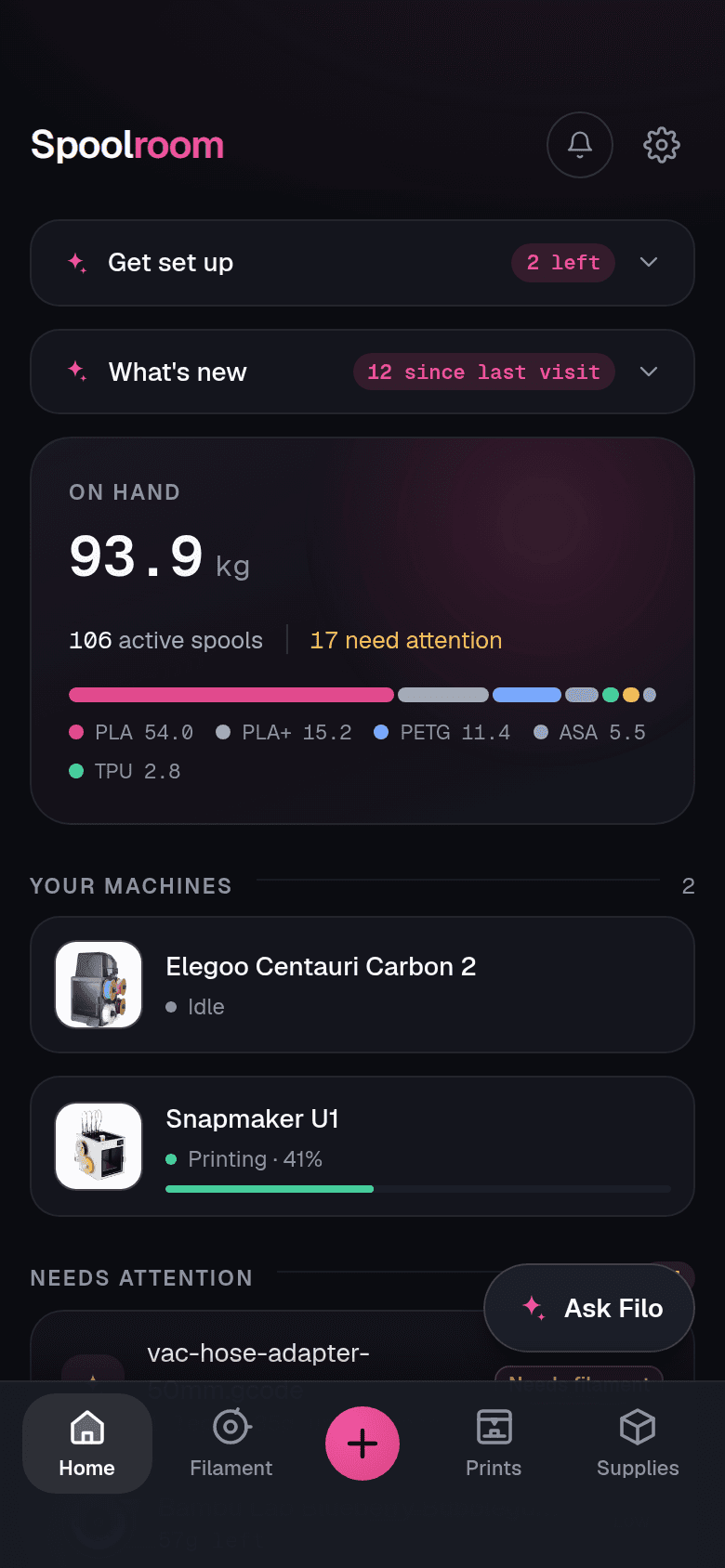
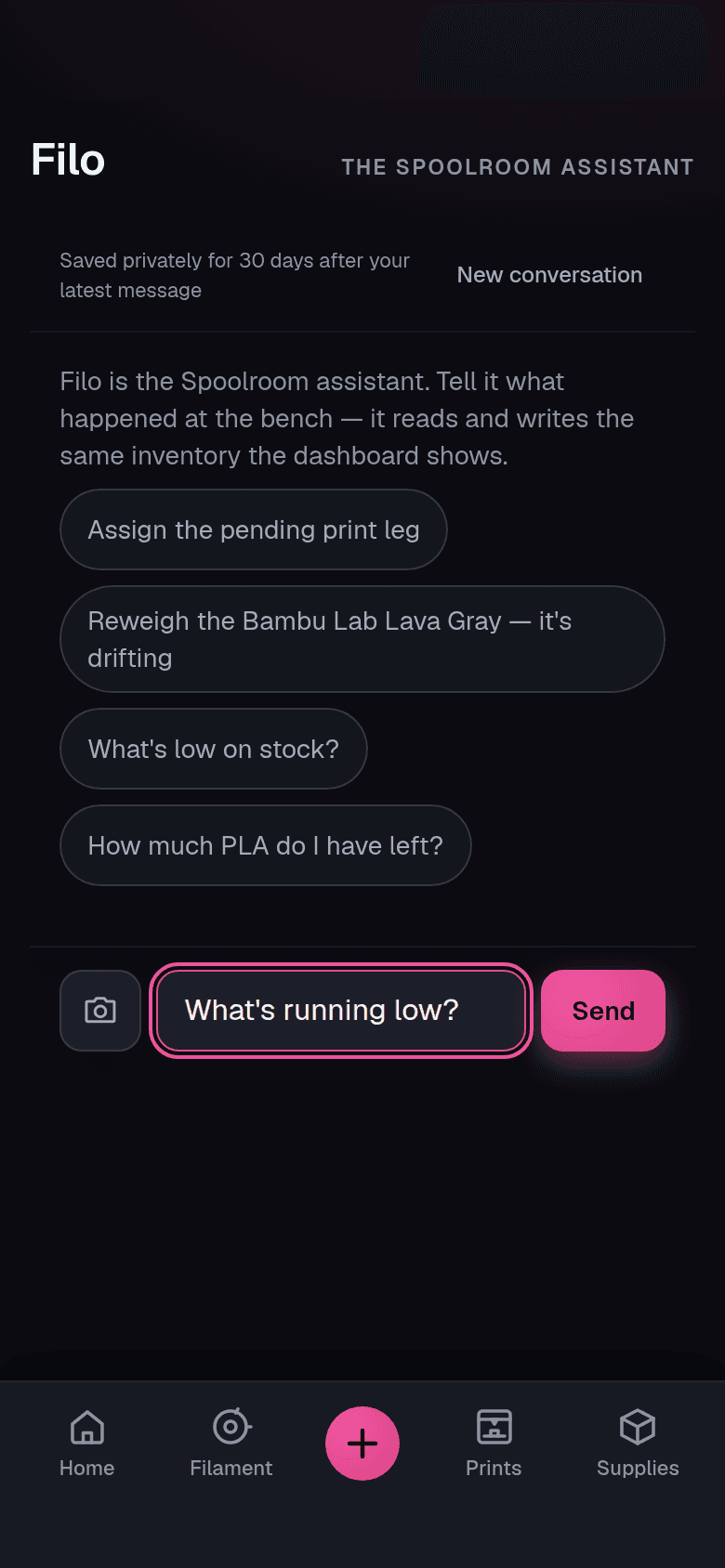
Runs in your browser, with any printer. No app to download and no watcher to install to get started. Log a print from its sliced file or by hand, whatever printer made it. Check your shelf and reweigh a spool from your phone, and open the same inventory on a larger screen when you need more room.
Why people use it
Plan the next print, type less, and see what prints cost.
Check a sliced file first
Drop in a .gcode or .3mf and see whether the spools you have cover each color, with a safety margin, before you start.
Less typing at the shelf
Pick from the filament catalog, photograph a label, or import an order receipt. Photo and receipt reading use AI credits, and you check every field before it is saved.
Print history and costs
Each print keeps its estimated filament use and cost, from what you paid for the spool, plus electricity if you enter your printer's power draw. It is an estimate of materials and power, not the full cost of a print. Export it as a CSV.
Labels and QR
Print a sheet, stick them on, scan to the spool. Works from a phone at the shelf.
Supplies beside your filament
Magnets, heat-set inserts, adhesives, nozzles and build plates, counted the same way, with low-stock warnings.
Drying and drybox humidity
Open PETG, TPU, nylon and other moisture-sensitive spools show Needs drying after a set number of days, or when their drybox's humidity reading is too high.
Maintenance reminders
Track service intervals by print hours or days. Record the nozzle, belt or other supply used when you do the work.
Optional automation
Optional printer watcher
On supported printers, the watcher logs each finished print and subtracts its estimated use from the spool loaded in that slot. When it cannot tell which spool was used, the print waits for you to choose. It runs on an always-on device on your network, only reads, and everything else works without it.
Printers the watcher reads. Tested with a real printer: Snapmaker U1 and Elegoo Centauri Carbon 2. Experimental (built from published documentation, not yet tested on a real printer): other Klipper/Moonraker printers, Creality K1 (rooted), Anycubic Kobra, Bambu Lab, Creality stock firmware, Prusa (PrusaLink), Elegoo Centauri Carbon (first gen), FlashForge, and OctoPrint.
Your data is yours
Take all of it with you, any time.
Spoolroom is hosted, with no server for you to maintain. Export from Settings whenever you like, on every plan, including after canceling. Plain JSON and CSV files that any spreadsheet or script can read.
Full JSON backup
Every spool, print, supply and ledger entry in one file. The complete backup you can always leave with.
Spreadsheet CSV
One row per roll with readable headers, for Excel, Numbers or Sheets. A second CSV layout reads straight back into Spoolroom.
Prints and costs CSV
Date, printer, job, grams, and the filament, power and total cost of every print.
HueForge library
Your filaments in HueForge's own library format.
A ledger behind every gram
Weigh-ins, prints and corrections are kept in each spool's history. A balance is never edited in place.
API and MCP
Connect an AI assistant to your shelf over MCP, or build your own tools on the REST API.
HueForge export
Export a filament library with measured transmission distance for HueForge.
AI, and where it stops
Filo (the assistant), photo-to-spool and receipt import use AI. They read labels and receipts, answer from your real inventory and draft the change, then stop: nothing is written to your shelf until you confirm it on screen. Only the request leaves: the photo you took, or your question and the inventory facts needed to answer it. AI is off until you allow it, and everything else works without it. Free includes 25 AI credits to start, and they don't expire.
Find your fit
Choosing a filament tracker?
Start with the work you want to do: adding purchases, keeping balances useful, tracking supplies and connecting printers. See how Spoolroom and other tools approach those jobs, with sources and setup requirements together.
Compare filament trackers →Questions
Before you start: common questions.
Ask Filo in the corner for anything else. On this page it answers from a short list of notes about how Spoolroom works; inside the app, it reads your shelf.
Which printers does it work with?
Tested with a real printer: Snapmaker U1 and Elegoo Centauri Carbon 2. Experimental (built from published documentation, not yet tested on a real printer): other Klipper/Moonraker printers, Creality K1 (rooted), Anycubic Kobra, Bambu Lab, Creality stock firmware, Prusa (PrusaLink), Elegoo Centauri Carbon (first gen), FlashForge, and OctoPrint. The printers page lists the models in each family and what to switch on. Other printers are not wired up yet. Without a watcher you can still log prints by hand or from a sliced file.
Does it work with Bambu Lab or Prusa printers?
Both, as experimental options not yet tested on a real printer. Bambu Lab: the watcher reads the printer over your own network with its LAN access code, with no Developer Mode and no change to your Bambu cloud setup. Prusa MK4, MK3.9, MINI, XL, CORE One and CORE One L: through PrusaLink, with the password from the printer's network settings. Either way it only reads, never controls.
How does the watcher log prints?
The watcher is optional: a small helper on a machine on your printers' network, an always-on box like a Raspberry Pi or a mini PC. On supported printers, the watcher logs each finished print and subtracts its estimated use from the spool loaded in that slot. When it cannot tell which spool was used, the print waits for you to choose. It only reads, and it only ever connects outbound, to Spoolroom. Without it you log a print from the sliced file or by hand.
Can it tell me if I have enough filament for a print?
Load a sliced file (Orca-family slicers, ElegooSlicer, Cura) and Spoolroom reads the per-tool grams and colors, matches them to spools on the shelf, and tells you whether it can cover the job with a safety margin. Log the print from that file and its estimated grams come off the spools you matched.
Can I import my existing inventory?
There is a CSV importer (the layout Spoolroom's own second CSV export writes) that previews everything before it creates a single spool, and receipt import for order emails. The catalog is built from open filament databases, so most spools match a known product on the first try. Its sources are credited on the data sources page.
Is my data mine?
Yours. One click in Settings exports everything as JSON, any time: every spool, event, print and note. There is a HueForge library export and CSVs of your spools and of your prints and their costs as well. Leaving never means losing it, and deleting the account deletes the data.
What does the AI do?
Three things: Filo, an assistant that reads and writes the same inventory the dashboard shows; photo to spool; and receipt import, which turns an order confirmation into spools. Every one of them ends in a confirm screen before anything is written. Each one uses AI credits on Spoolroom's own key, so you don't need an AI account of your own. Free includes 25 AI credits to start, and they don't expire.
Do I need a password?
No passwords. You sign in with a passkey (Face ID, Touch ID, a security key) or an emailed magic link. Nothing to remember and nothing to leak.
Do you show ads or track me?
No ads, no advertising trackers, nothing sold. Error reports and page speed are the only telemetry, never what you looked at. The watcher on your network only talks outbound to Spoolroom; nothing listens in. Your inventory is yours to export or delete.
Does it work offline?
It runs in the browser as a PWA: add it to your home screen and it opens like an app. The shell and the pages you have opened stay available without a signal, so the shelf list still opens in a basement workshop. Writing needs a connection, because the scale number has to reach the ledger.
Can I self-host it?
Spoolroom is hosted; the watcher is the only part that runs on your side, and it only connects outbound. Self-hosting the whole app is not something on offer today.
Start with the spools already on your shelf.
Runs in your browser, with any printer. No app to download and no watcher to install to get started.